HELPFUL HINTS
Quackit
This page is really good for giving beginners a view on how JavaScript works, and also the code that makes certain things do what they do.
The way they present this page, with links to all the examples grouped together, allows the user to find exactly what they want their page to do, and get the exact code to help them with this.
With the "Run" option, it allows you to change certain parts of the code, and see how it will alter the ouput, also really good for learning how it works and understanding this process.

lynda.com
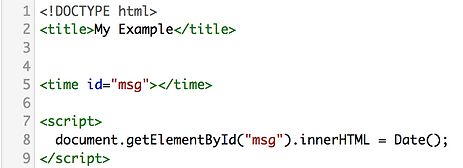
If you have not created an account with lynda.com, you will need to do this to access this course.
A combination of instructive videos and interactive documents available for download is an awesome way to learn how to use JavaScript. Being able to do the programming along with the person is good for your individual learning, and it gives you awesome examples to use later.
It's also not very heavy duty, so it is simple to pick up the information and be able to use it.
I would totally recommend this for a JavaScript beginner: easy to understand and awesome for your learning!


Quackit
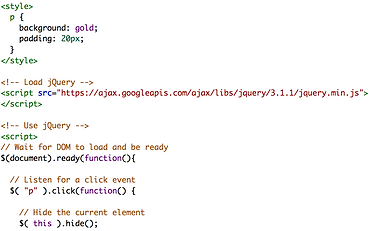
This is another page on Quackit that gives you examples of JQuery to paste straight into your code, rather than download JQuery and find them yourself!
JQuery is a JavaScript Library containing heaps of awesome pieces of code for your website. Its super helpful for beginners, and the way it shows you how its done is perfect.
Its awesome for learners who do not yet know how to write JavaScript, but would like to use it in their webpage code. Its also super easy to find: just google Quackit JQuery examples and it shows up!

W3Schools
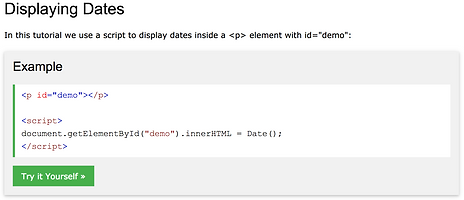
This is a page on the W3Schools website that helps you to understand how to use JavaScript when you want to add the date onto your webpage.
It is laid out in a simple way, and makes it really easy for you to understand how it all works.
Similar to Quackit, you have the option to alter code and add your own things in in the "Run" option, which allows you to see how it will affect the outcome.
There is also the option to copy and paste the code into your own: this allows you to add some cool JavaScript into your site!